6rw App: the phone lobby in the palm of your hand
One APK file, 45 MB. Runs on Android 6.0 and later, free to install. Once it's on, slots, live tables and cricket markets share one lobby.
6rw.apk · file summary
Free download · updated 18 November 2026
All the app file details in one table
What you need to know about the file before downloading is laid out in the table below. The same details appear under “About” in the app's settings, so you can cross-check them after installing.
| Feature | Value |
|---|---|
| Version | ৩.৩.১১ |
| File name | 6rw.apk |
| File size | ৪৫ MB |
| Minimum Android | ৬.০ |
| Last updated | 18 November 2026 |
| Cost | Free |
| Language | Bengali and English |
Once the download finishes, check the size in your file manager. If it shows less than ৪৫ MB, switch networks and download again — a half-finished file won't install.
Take a Look at the App Lobby Before Installing
- Slots, fishing, cards and lottery — all reachable from the tabs above with one login.
- Balance, active bonuses and withdrawal status on one screen, so you don't have to hunt through menus.
- When the network drops, the app reconnects on its own so your game doesn't get lost mid-round.
- In-app live chat is open 24/7 — send a screenshot of the problem and talk it through.
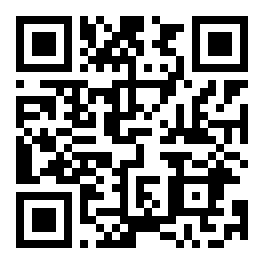
You Can Also Get the File by Scanning the QR


How to Add the 6rw App to Your iPhone Home Screen
Apple's rules don't allow APK files on iOS. So iPhone users can set up a home screen shortcut from Safari — it looks like a normal app and opens the lobby in one tap.
- Open the site in SafariType 6rw.lat in the address bar and open the lobby page. Chrome or other browsers may not create the shortcut.
- Tap the Share buttonTap the share icon at the bottom of the screen, then pick “Add to Home Screen” from the list.
- Set the nameType 6rw in the name field and tap Add. The icon will appear on your home screen.
- Log in from the iconTapping the icon opens the site, and your session stays active if you were already logged in. New here? Register first.
Installing the APK on Android: Five Steps
Your phone will pause and ask questions the first time you sideload — that's normal. Work through the five steps below in this exact order and the install won't get blocked.
-
১
Turn on permission
Settings → Apps → Special access → Install unknown apps, then allow the browser you'll download the file with.
-
২
Download the file
Tap the download button above to get 6rw.apk (৪৫ MB). It's a large file, so use Wi-Fi to save data.
-
৩
Start the install
Tap the file from your notifications, or open File Manager → Downloads and press Install.
-
৪
Get past the warning
If Play Protect says “app not recognised”, tap More details → Install anyway. You can delete the file once it's installed.
-
5
Log in
Open the app and enter your mobile number and password. No account yet? Register first, then come in.
From Login to Withdrawal: What You Can Do in the App
-
Log in once, then just a PIN
Enter your number and password the first time and the app can remember them. After that you can get in with a PIN or fingerprint instead of typing every time.
-
Deposits and withdrawals in one place
bKash, Nagad, Rocket, Upay and bank transfer — every payment option sits inside the app. Deposits land in ৩ minutes, withdrawals in ১৬.
-
Live tables and cricket markets
Baccarat, roulette, card tables plus cricket pre-match and live markets, all in one lobby. Keep your favourite games in “My Games”.
-
Important news reaches you
You get notifications for bonuses, match start times and withdrawal approvals. Any type of message you don't want can be switched off in the app settings.
-
Plays even on a weak network
If the connection drops, the app reconnects on its own. When you change networks, staying logged in helps the app hold your session.
-
Support is always close by
Live chat is open ২৪/৭. If a payment gets stuck, send a screenshot with the transaction time and you'll get an answer faster.
6rw App in numbers
- Games in the lobby
- ৫,১০০
- Minimum deposit
- ৳১৫০
- Withdrawal time
- ১৬ minutes
When Install Fails: Causes and Fixes
Most install problems come from four causes: permissions turned off, a half-downloaded file, low space, an old version. Use the table below to spot the problem and the fix.
| Problem | Likely cause | Fix |
|---|---|---|
| It keeps showing “App not installed” | Install from unknown sources is turned off, or Play Protect is blocking it | Allow your browser or file manager in Settings, then tap More details → Install anyway |
| “Parse package” error | The file downloaded only partly, or it clashes with an older version | Delete the old file, download the full ৪৫ MB again from 6rw.lat and install |
| Install stops because there's no space | Free storage is under ২০০ MB | Delete videos in the gallery, WhatsApp cache and unused apps to free up at least ২০০ MB |
| The app opens but won't log in | Old version or weak internet | Update to version ৩.৩.১১, switch from Wi-Fi to mobile data, and try resetting your password too |
| The app closes the moment it opens | Cache has built up or the phone's memory is low | Go to Settings → Apps → Storage → Clear cache, then restart the phone |
Which permissions the app asks for, and why
After install the app asks for a few permissions. Below is what each one does and how to switch it off. You can still use the lobby and place bets without granting any.
| Permission | Why it's needed | How to switch it off |
|---|---|---|
| Files and media | To store the install file and send screenshots when you withdraw | Settings → Apps → 6rw → Permissions → Files off |
| Notifications | To tell you about bonuses, match start times and withdrawal status | Settings → Apps → 6rw → Notifications off |
| Camera | To photograph your ID before your first withdrawal | If it's only asked for at that moment, choose “Only this time” |
6rw App never asks for contacts, SMS or location. If something demands those permissions, the file isn't ours. Get the APK only from 6rw.lat: check the file name is 6rw.apk, size ৪৫ MB and version ৩.৩.১১. Don't install from links on Telegram or Facebook.
Running 6rw App on a slow phone or low data
- Works on older phones too: the app supports Android ৬.০ and up, so it installs on four or five-year-old handsets.
- Keep the cache clean: once a week, go to Settings → Apps → 6rw → Storage → Clear cache.
- Save battery: leave notifications off when you don't need them, and the app won't keep running in the background.
- Update on Wi-Fi: a new version downloads the ৪৫ MB file again, so doing it on mobile data costs more.
- Slots first on slow net: on ২G or ৩G the live table video freezes, so slots or lottery play better then.
- If a payment is slow: don't close the app before the transaction finishes — wait ৩ minutes and check the status.

Why Put the 6rw App on Your Home Screen
The site runs fine in a browser. A home screen icon suits a different habit: short sessions on mobile data, opened and closed through the day. Here is what changes once the APK is on the phone.
-
Tap once and you are in the lobby
The icon opens the lobby directly, so there is no address bar to fight with and no bookmark buried between other tabs.
-
45 MB, installed once
The whole file is 45 MB and it stays on the phone. Version 3.3.11, free, and only from 6rw.lat.
-
An older handset is enough
Android 6.0 and later will install it, so a phone that has been in use for a few years is not left out.
-
Help without leaving the table
Live chat is open 24/7 inside the app. Send a screenshot of the screen and the agent sees exactly what you see.
Scan with your phone camera
The questions we get asked most
Is the 6rw APK file safe?
What should I do if I get a “Parse package” error during install?
How do I update the app?
Why can't I install an APK file on iPhone?
I don't have an account — what can I do in the app?
Will I lose my balance if I uninstall the app?
Install the 6rw App and get into the lobby today
File size ৪৫ MB, two minutes to install. Open an account and make your first deposit to get a bonus plus ২৪/৭ live chat — all inside the app.